Home Prompts Diwali Celebrate Diwali
Celebrate Diwali
Diwali

Celebrate Diwali

Prompt
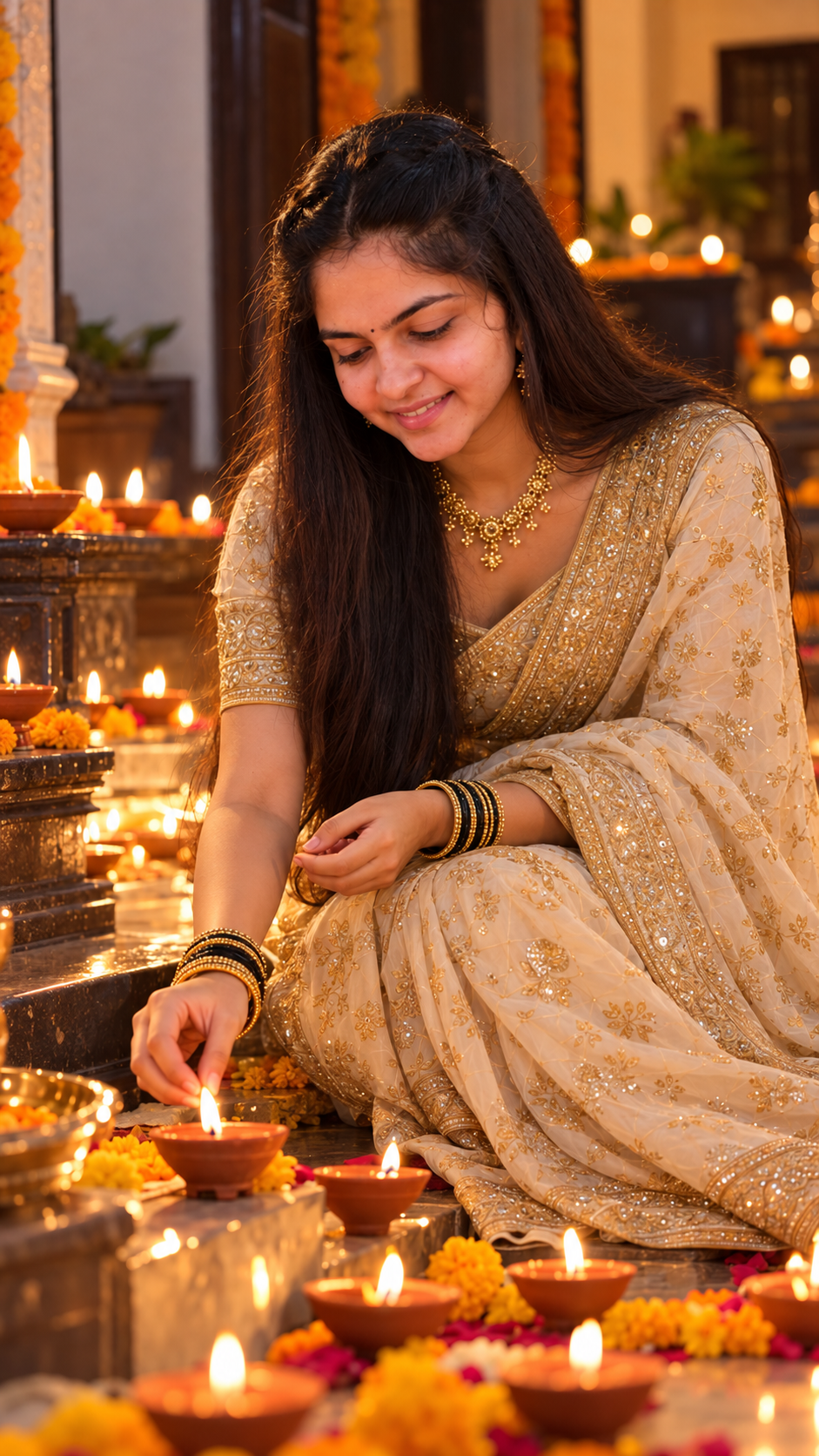
Generate a lifelike candid photograph using the uploaded face as the identity reference. A young adult Indian woman in a cream silk saree with subtle gold embroidery leans forward to light a small terracotta diya. Her face is naturally illuminated by the flame, showing realistic skin texture, tiny pores, soft peach blush, natural lips, and delicate eyelashes. Her long black hair falls naturally around her face, with a few loose strands catching the warm light. She wears a simple gold necklace, small earrings, a tiny black bindi, and traditional bangles. Capture the precise moment her fingertips approach the diya wick, with anatomically correct hands and a natural downward gaze. Behind her, several lit diyas and blurred marigold decorations create a believable Indian home setting. Real flame exposure, soft shadows under the chin, realistic highlights in the eyes, true-to-life silk texture, natural imperfections, 85mm portrait lens, f/2 aperture, shallow but realistic depth of field, authentic warm indoor white balance, unretouched editorial photography, vertical 9:16. The result must resemble an actual photograph taken during a family Diwali celebration, not an AI artwork.
213 Views 38 Copies
About This Prompt

Celebrate Diwali

Generate a lifelike candid photograph using the uploaded face as the identity reference. A young adult Indian woman in a cream silk saree with subtle gold...
How It Works

How to Use This AI Prompt

Copy the prompt, paste it into your preferred AI tool, and adjust the details when needed.

01

Copy the Prompt

Use the Copy Prompt button to copy the complete prompt.

02

Open Your AI Tool

Open the AI platform you want to use for your project.

03

Paste the Prompt

Paste the prompt into your preferred AI tool and run it.

04

Customize It

Change the subject, style, setting or other details.

Customize

Customize the Prompt for Your Idea

Personalize the prompt by changing only the details that are relevant to your desired result.

Subject

Change the main person, character, object or subject.

Style

Adjust the visual, artistic or creative style.

Lighting

Adjust brightness, shadows, highlights and atmosphere.

Background

Replace the environment or setting to fit your idea.

Prompt Tips

Tips for Better Results

Simple ways to make your prompt easier to understand and customize.

Keep important details specific

Clearly describe the main subject, setting and visual direction.

Change one detail at a time

Modify individual elements such as style, lighting or background when comparing different versions.

Add details that matter

Include useful information about appearance, composition, atmosphere and other important elements.

Experiment with variations

Try different versions of the same prompt to explore alternative creative directions.