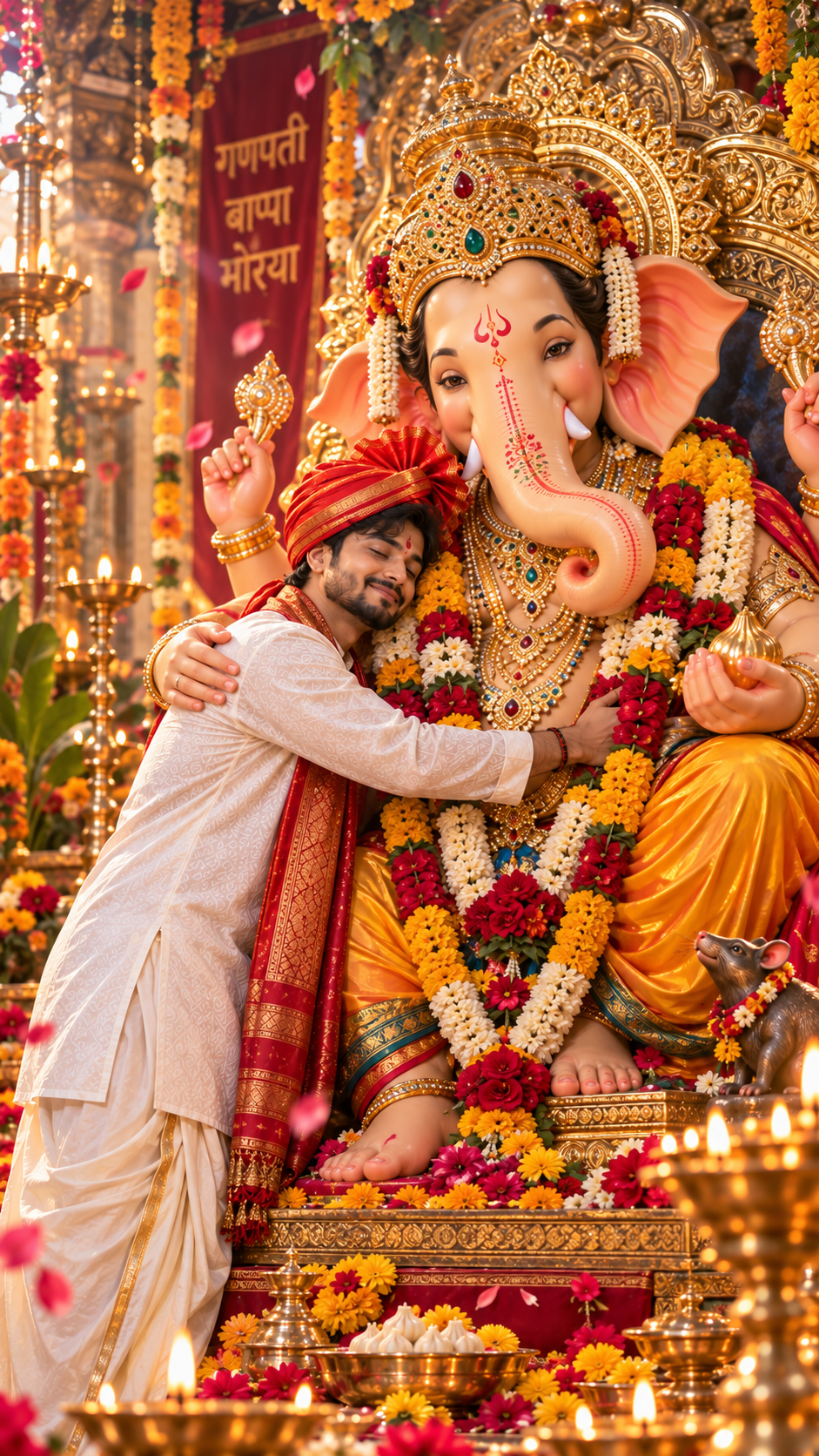
Home Prompts Ganesh Visarjan Devotee Embracing Lord Ganesha
Devotee Embracing Lord Ganesha
Ganesh Visarjan

Devotee Embracing Lord Ganesha

Explore this carefully structured AI prompt and adapt it to your own creative project. Copy the prompt, use it with your preferred AI tool, and customize the details to match your desired result.

Prompt
Ultra-realistic cinematic devotional portrait of a young Indian man lovingly embracing Lord Ganesha in a beautiful emotional Ganesh Chaturthi celebration. The man stands beside the majestic Lord Ganesha idol and gently hugs Bappa with both arms, expressing deep devotion, gratitude, love and happiness. His eyes are filled with peaceful emotion and a natural gentle smile. The young man wears authentic traditional Maharashtrian attire: elegant white embroidered kurta, cream dhoti, rich saffron-red Maharashtrian pheta, red-and-gold traditional stole, simple rudraksha mala, traditional bracelet and a red tilak on his forehead. Lord Ganesha appears magnificent and divine, with a beautifully detailed elephant face, large ears, ornate golden crown decorated with red and green gemstones, luxurious traditional jewelry, fresh marigold and rose garlands, four arms and a gentle blessing expression. One hand rests naturally near the man's shoulder while the divine presence feels warm, protective and affectionate. Include a beautifully decorated golden throne and a small mouse vahana nearby. Background: grand Ganesh Chaturthi mandap decorated with thousands of marigold flowers, roses, jasmine garlands, saffron flags, brass diyas, traditional lamps, rangoli, golden fairy lights and festive decorations. Soft flower petals floating through the air, subtle divine golden aura surrounding Bappa, warm glowing light rays and cinematic atmospheric haze. Emotional father-like divine blessing atmosphere, authentic Indian devotional culture, heartfelt bhakti moment, natural human-Ganesha interaction, realistic proportions, realistic skin texture, detailed fabric and jewelry, professional DSLR photography, 85mm lens, f/1.8, shallow depth of field, creamy cinematic bokeh, warm golden-hour lighting, HDR, ultra-detailed, photorealistic, 8K UHD, cinematic color grading, premium Ganesh Chaturthi photography, sharp focus, vertical 9:16 composition, Instagram Reel cover style. Negative prompt: cartoon, anime, illustration, CGI, plastic skin, artificial face, distorted face, deformed trunk, extra arms, extra fingers, extra hands, duplicate man, duplicate Ganesha, bad anatomy, unnatural hug, floating objects, blurry face, low quality, oversaturated colors, watermark, logo, unwanted text.
102 Views 11 Copies
About This Prompt

About Devotee Embracing Lord Ganesha

The Devotee Embracing Lord Ganesha prompt is part of the Ganesh Visarjan collection on PromptNI.

It provides a structured starting point for your AI project, helping you describe the subject, visual direction, atmosphere, composition and other important details included in the prompt.

You can use the prompt exactly as provided or modify individual details to better match your own idea. Small changes to the subject, setting, style, lighting or mood can create significantly different results.

How It Works

How to Use This AI Prompt

Follow these simple steps to start using the prompt for your creative project.

01

Copy the Prompt

Use the Copy Prompt button to copy the complete prompt to your clipboard.

02

Open Your AI Tool

Open the AI platform you want to use for your creative project.

03

Paste the Prompt

Paste the copied prompt into your preferred AI tool and run it.

04

Customize It

Change the details that matter most to your own creative direction.

Customize

Customize the Prompt for Your Idea

Make the prompt more personal by changing the details that are relevant to your project.

Subject

Change the main person, character, object or subject described in the prompt.

Style

Experiment with different visual, artistic or creative styles.

Lighting

Adjust brightness, shadows, highlights and overall atmosphere.

Background

Replace the environment or setting with a background that fits your idea.

Prompt Tips

Tips for Better Results

A few practical ways to get more useful results when working with AI prompts.

Keep important details specific

Keep the key subject, setting and visual direction clear instead of using overly broad descriptions.

Change one detail at a time

When experimenting, modify individual elements such as style, lighting or background so you can compare results.

Add details that matter to your idea

Include useful information about appearance, composition, atmosphere or other elements that influence the desired result.

Experiment with variations

Try different versions of the same prompt to explore alternative creative directions.