Home Prompts Shravan Month Devotional serenity in golden light Shravan Maas
Devotional serenity in golden light Shravan Maas
Shravan Month

Devotional serenity in golden light Shravan Maas

Prompt
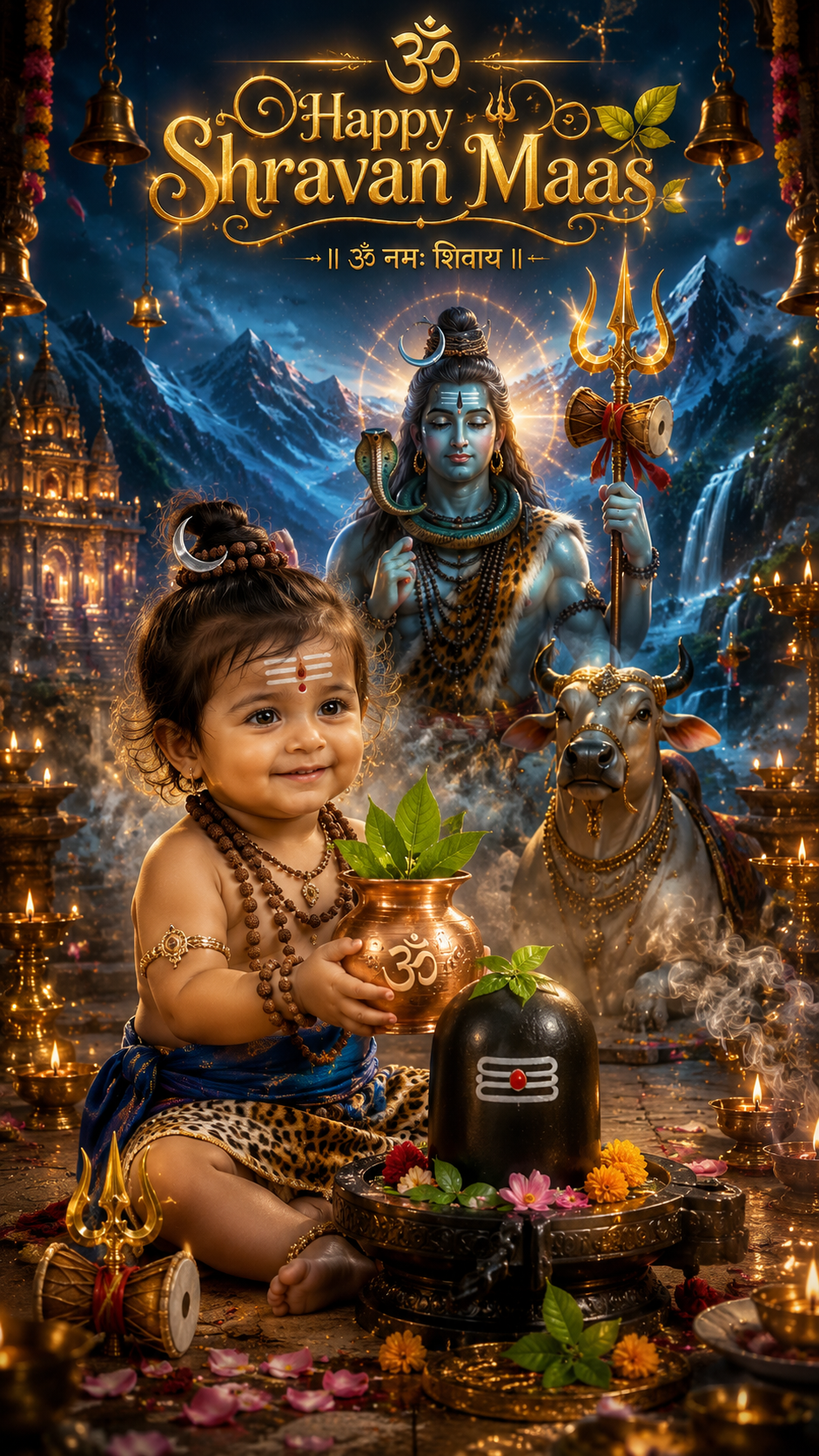
Create an ultra-realistic, adorable 8K cinematic portrait of a cute Indian baby boy (1.5 Year old) celebrating the holy month of Shravan Maas. The baby sits happily on a beautifully decorated marble temple floor with a sweet smile, expressive eyes, and chubby cheeks. He is dressed in a traditional mini Lord Shiva-inspired outfit featuring a white tiger-print dhoti, blue silk waist cloth, Rudraksha malas, tiny golden armlets, anklets, bracelets, and a sacred Tripundra tilak with a small red bindi on his forehead. His hair is styled in a cute topknot with a tiny crescent moon ornament, while a small decorative Trishul and Damru rest beside him. The baby lovingly holds fresh Bilva (Bel) leaves and a small copper Kalash filled with holy Ganga water, ready to offer Abhishek to a glowing Shiva Lingam decorated with flowers and sacred offerings. Behind him stands a magnificent divine Lord Shiva with a radiant blue aura, holding the Trishul and Damru, with Nandi peacefully seated nearby. The background features the majestic Himalayan mountains, a grand Shiva temple, soft waterfalls, temple bells, floating marigold petals, glowing diyas, incense smoke, and mystical blue-golden divine light creating a peaceful spiritual atmosphere. Add elegant glowing golden typography at the top reading "Happy Shravan Maas", decorated with Om (ॐ), Trishul, Bilva leaves, and subtle Sanskrit-inspired ornamental borders. Ultra-photorealistic DSLR quality, volumetric lighting, cinematic depth of field, masterpiece, HDR, highly detailed skin texture, vibrant devotional colors, premium photography, vertical 9:16 composition.
2,454 Views 820 Copies
About This Prompt

Devotional serenity in golden light Shravan Maas

Create an ultra-realistic, adorable 8K cinematic portrait of a cute Indian baby boy (1.5 Year old) celebrating the holy month of Shravan Maas. The baby sit...
How It Works

How to Use This AI Prompt

Copy the prompt, paste it into your preferred AI tool, and adjust the details when needed.

01

Copy the Prompt

Use the Copy Prompt button to copy the complete prompt.

02

Open Your AI Tool

Open the AI platform you want to use for your project.

03

Paste the Prompt

Paste the prompt into your preferred AI tool and run it.

04

Customize It

Change the subject, style, setting or other details.

Customize

Customize the Prompt for Your Idea

Personalize the prompt by changing only the details that are relevant to your desired result.

Subject

Change the main person, character, object or subject.

Style

Adjust the visual, artistic or creative style.

Lighting

Adjust brightness, shadows, highlights and atmosphere.

Background

Replace the environment or setting to fit your idea.

Prompt Tips

Tips for Better Results

Simple ways to make your prompt easier to understand and customize.

Keep important details specific

Clearly describe the main subject, setting and visual direction.

Change one detail at a time

Modify individual elements such as style, lighting or background when comparing different versions.

Add details that matter

Include useful information about appearance, composition, atmosphere and other important elements.

Experiment with variations

Try different versions of the same prompt to explore alternative creative directions.