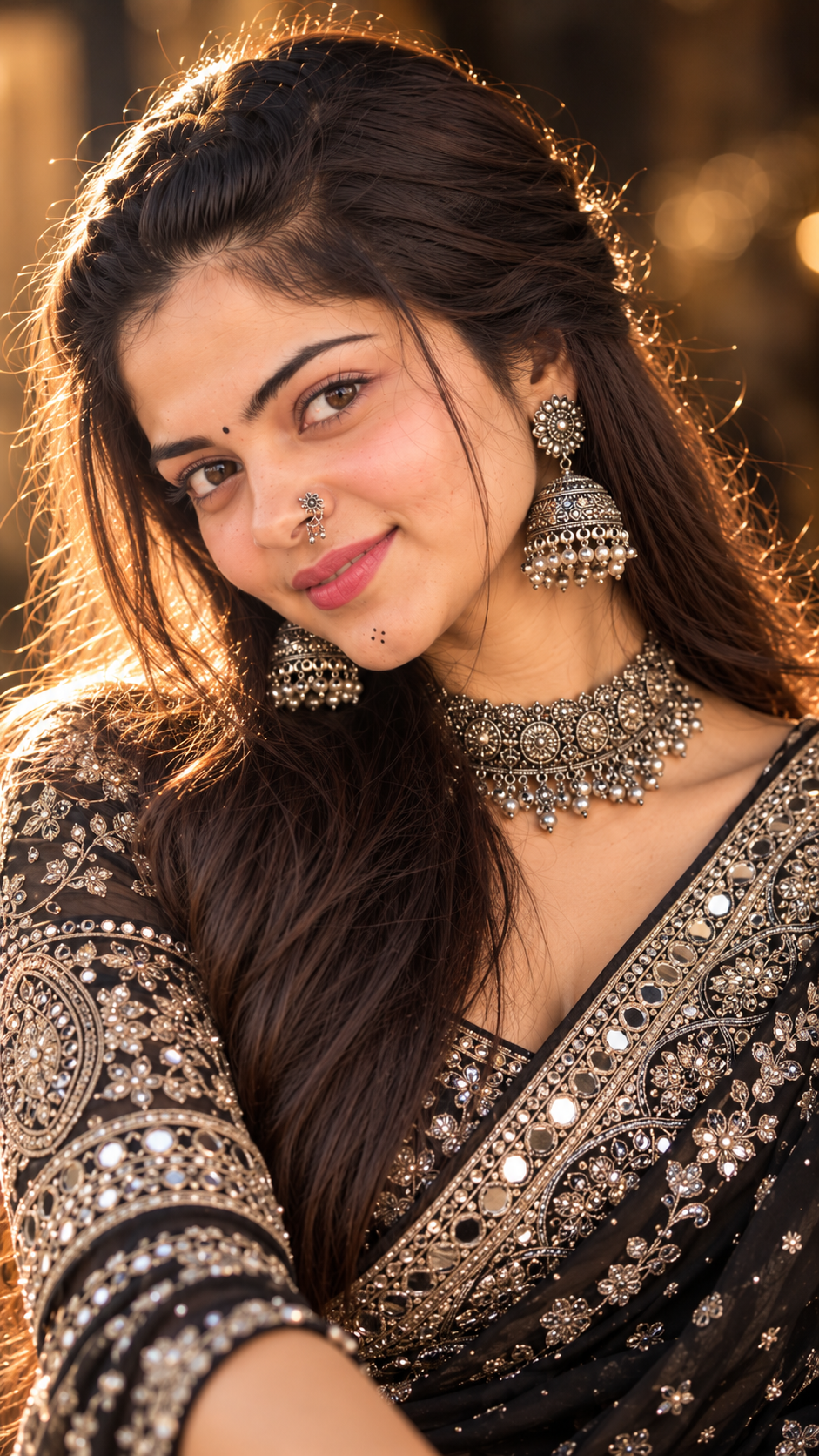
Create an ultra-realistic, high-resolution 9:16 vertical portrait of a beautiful young Indian woman wearing an elegant black saree with intricate antique silver embroidery, sparkling mirror-work details, and a heavily embellished silver border.
Face & Expression: She has a naturally beautiful face, a soft jawline, glowing fair-to-medium warm skin, expressive almond-shaped dark brown eyes, a delicate nose, and full rosy-red lips. Her head is slightly tilted, with her face turned gently toward the camera and her eyes gazing sideways with a dreamy, confident, feminine expression. Her lips are slightly parted in a subtle smile.
Makeup & Face Details: Soft glam Indian makeup, shimmering pink eyeshadow, perfectly defined black winged eyeliner, long curled eyelashes, naturally shaped eyebrows, rosy pink blush, luminous dewy skin, and glossy rose-red lipstick. Add a tiny black decorative bindi between the eyebrows and delicate black beauty dots below the lower lip. Include an ornate antique silver embellished septum nose ring with intricate floral details.
Hairstyle: Long, thick, silky dark brown-black hair with a soft middle parting, styled in a loose half-up hairstyle with the remaining hair cascading over her shoulders. A few delicate face-framing strands fall naturally around her cheeks. Hair should look voluminous, glossy, and realistic.
Jewellery: A statement oxidized silver choker necklace featuring intricate traditional Indian floral engravings, small dangling silver beads, and ornate central pendants. Matching oversized antique silver jhumka earrings with intricate filigree patterns and tiny dangling pearl-like beads. The jewellery must appear highly detailed, elegant, and realistic.
Saree Styling: A luxurious black saree draped gracefully over the shoulder, decorated with dense silver floral embroidery, shimmering metallic threadwork, intricate paisley motifs, and reflective silver mirror embellishments. The blouse is black with matching silver embroidery. Keep the saree rich, elegant, and predominantly black and silver.
Pose & Composition: Extreme close-up to medium close-up portrait, captured from a slightly low three-quarter angle. Her face occupies most of the upper frame, with the silver choker and embroidered saree clearly visible in the lower frame. One shoulder is slightly forward. Natural head tilt, relaxed posture, realistic facial proportions, and an elegant editorial fashion pose.
Lighting & Background: Warm cinematic golden-hour lighting from behind and the side, creating a beautiful golden rim light around her hair. Soft frontal fill light highlights her cheeks, nose, glossy lips, and silver jewellery. Background is dark, softly blurred, and warm brown, with shallow depth of field and subtle bokeh. Luxurious, intimate, dreamy Indian fashion photography.
Camera & Quality: Professional DSLR portrait photography, 85mm lens, f/1.8 aperture, shallow depth of field, razor-sharp focus on the eyes and jewellery, realistic skin texture, natural facial details, high dynamic range, cinematic color grading, photorealistic, 8K detail, premium fashion editorial quality, vertical 9:16 aspect ratio.
Negative Prompt: cartoon, anime, painting, artificial plastic skin, excessive beauty filter, blurry face, distorted eyes, asymmetrical facial features, deformed hands, extra fingers, oversized jewellery, incorrect nose ring, messy embroidery, low resolution, harsh flash, overexposure, oversaturated colors, watermark, text, logo, social media interface, Instagram icons.