Home Prompts Krishna Janmashtami Krishna inspired traditional look
Krishna inspired traditional look
Krishna Janmashtami

Krishna inspired traditional look

Prompt
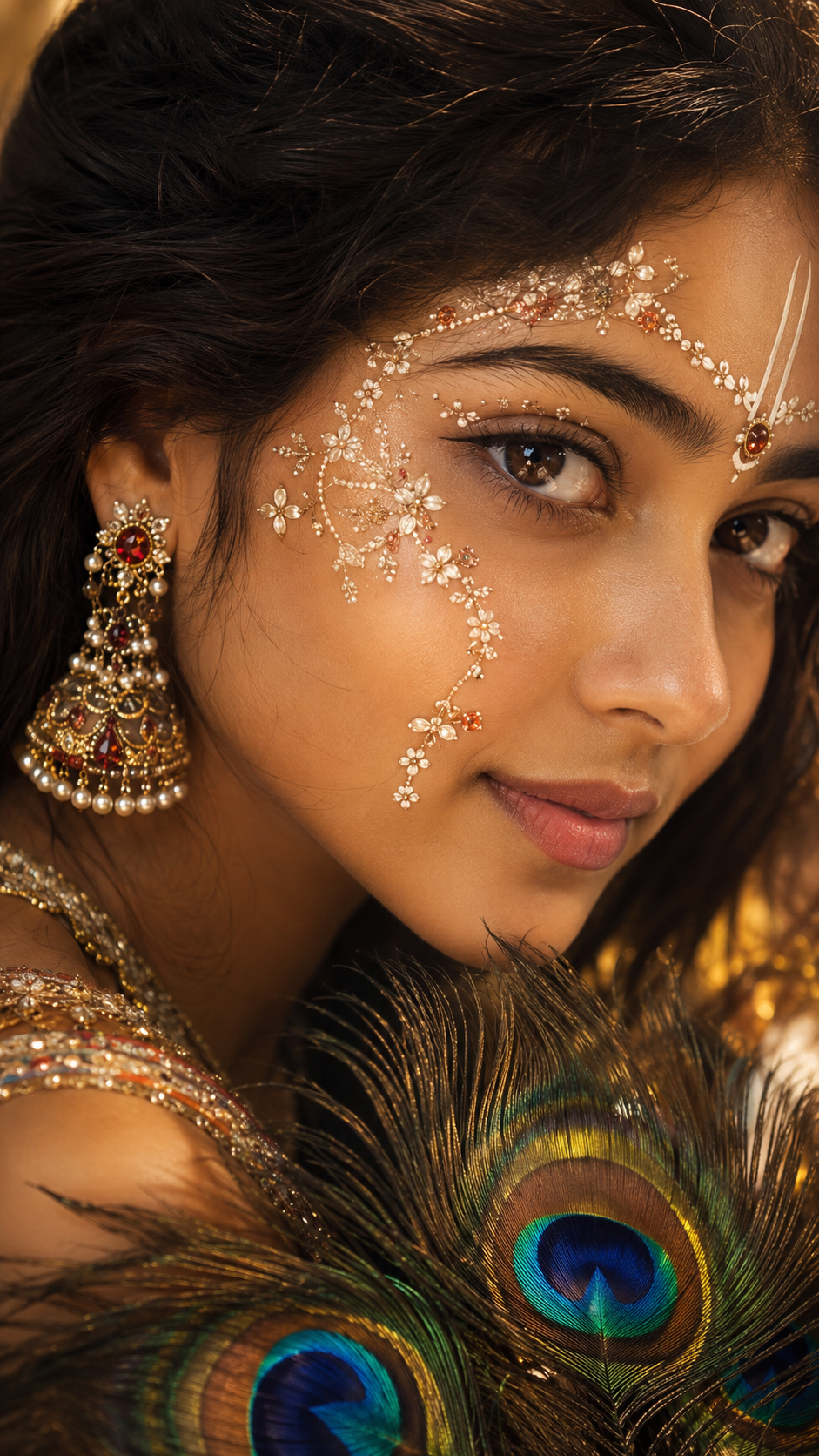
Create an ultra-realistic cinematic close-up portrait of a beautiful young Indian woman in a divine Krishna-inspired traditional look, photographed from an artistic sideways angle. Focus intensely on her expressive large dark brown eyes, natural eyelashes, soft glowing skin, and elegant facial features. She has long, silky dark brown hair flowing around her face. Decorate her face with intricate delicate white floral face jewelry / pearl embellishments, forming a graceful curved pattern from the forehead around the eye and down toward the cheek, with tiny white flowers, sparkling crystals, and subtle red and orange gemstone accents. Add an ornate traditional golden Indian jhumka-style ear ornament with pearls and red gemstones. Place luxurious peacock feathers near the lower part of the composition, with vivid turquoise, emerald green, deep blue, and golden details, creating a subtle Krishna-inspired atmosphere. Use warm golden cinematic lighting, soft diffused highlights on the skin, shallow depth of field, dreamy bokeh, extremely detailed eyes, realistic skin texture, fine individual hair strands, delicate jewelry details, rich traditional Indian aesthetics, elegant and ethereal mood. Composition: extreme close-up beauty portrait, face filling almost the entire frame, eyes as the main focal point, artistic diagonal/sideways composition, minimal background, premium Indian fashion photography. Camera: 85mm portrait lens, f/1.4, ultra-shallow depth of field, professional beauty photography, soft cinematic lighting, HDR, photorealistic, 8K detail, highly detailed, natural skin, realistic reflections in the eyes. Aspect ratio: 9:16 vertical.
699 Views 52 Copies
About This Prompt

Krishna inspired traditional look

Create an ultra-realistic cinematic close-up portrait of a beautiful young Indian woman in a divine Krishna-inspired traditional look, photographed from an...
How It Works

How to Use This AI Prompt

Copy the prompt, paste it into your preferred AI tool, and adjust the details when needed.

01

Copy the Prompt

Use the Copy Prompt button to copy the complete prompt.

02

Open Your AI Tool

Open the AI platform you want to use for your project.

03

Paste the Prompt

Paste the prompt into your preferred AI tool and run it.

04

Customize It

Change the subject, style, setting or other details.

Customize

Customize the Prompt for Your Idea

Personalize the prompt by changing only the details that are relevant to your desired result.

Subject

Change the main person, character, object or subject.

Style

Adjust the visual, artistic or creative style.

Lighting

Adjust brightness, shadows, highlights and atmosphere.

Background

Replace the environment or setting to fit your idea.

Prompt Tips

Tips for Better Results

Simple ways to make your prompt easier to understand and customize.

Keep important details specific

Clearly describe the main subject, setting and visual direction.

Change one detail at a time

Modify individual elements such as style, lighting or background when comparing different versions.

Add details that matter

Include useful information about appearance, composition, atmosphere and other important elements.

Experiment with variations

Try different versions of the same prompt to explore alternative creative directions.