Home Prompts Onam Onam Festival Cinematic Portrait
Onam Festival Cinematic Portrait
Onam

Onam Festival Cinematic Portrait

Prompt
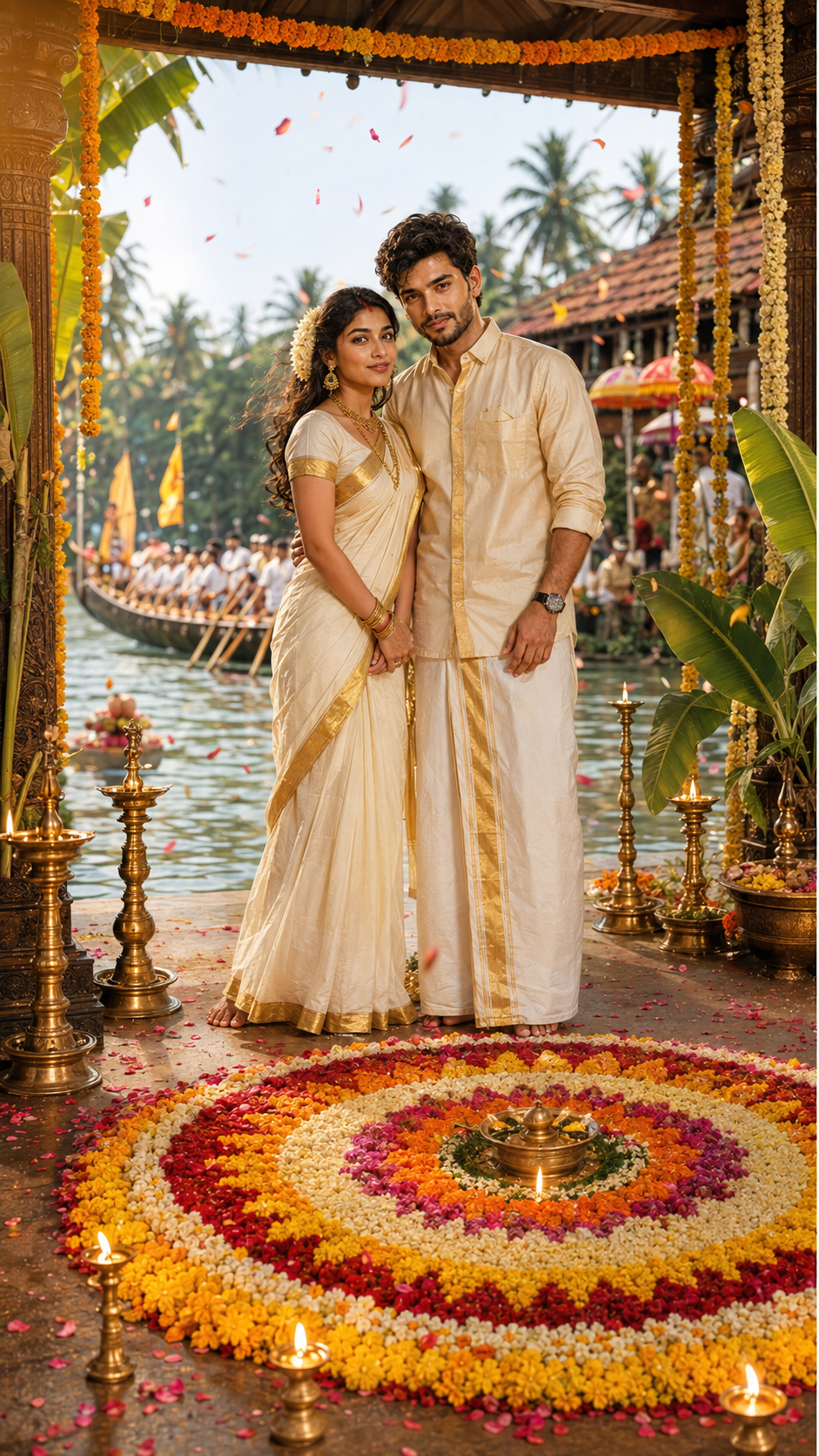
Create a **magical, ultra-realistic cinematic Onam festival portrait** of a beautiful Indian couple celebrating Onam in a traditional Kerala setting. The woman wears an elegant **off-white Kerala Kasavu saree with a rich golden border**, traditional gold jewelry, jasmine flowers beautifully woven into her hair, and a graceful warm smile. The man wears a classic **white mundu with a cream-and-gold traditional shirt**, creating an authentic and elegant Kerala festive look. They stand together beside a magnificent **Pookalam made from vibrant fresh flowers**, surrounded by traditional brass nilavilakku lamps, banana leaves, coconut trees, and charming Kerala heritage architecture. Soft golden morning sunlight fills the scene, while delicate flower petals float gently through the air. In the background, show a festive Onam atmosphere with traditional decorations, colorful umbrellas, subtle cultural elements, and a beautifully decorated **Vallam Kali snake boat** visible in the distant Kerala backwaters. Create a joyful, romantic, and authentic celebration mood. Capture **natural expressions, realistic skin texture, detailed traditional clothing, intricate jewelry, realistic flower details, soft cinematic lighting, warm golden tones, shallow depth of field, luxury Indian festival editorial photography, highly detailed, photorealistic, 8K quality**. **Composition:** Full-body couple portrait, elegant natural pose, Pookalam in the foreground, Kerala festive scenery in the background. **Aspect Ratio:** 9:16 **Style:** Ultra-realistic cinematic photography, luxurious Indian cultural editorial, warm festive atmosphere.
105 Views 6 Copies
About This Prompt

Onam Festival Cinematic Portrait

Create a **magical, ultra-realistic cinematic Onam festival portrait** of a beautiful Indian couple celebrating Onam in a traditional Kerala setting. The w...
How It Works

How to Use This AI Prompt

Copy the prompt, paste it into your preferred AI tool, and adjust the details when needed.

01

Copy the Prompt

Use the Copy Prompt button to copy the complete prompt.

02

Open Your AI Tool

Open the AI platform you want to use for your project.

03

Paste the Prompt

Paste the prompt into your preferred AI tool and run it.

04

Customize It

Change the subject, style, setting or other details.

Customize

Customize the Prompt for Your Idea

Personalize the prompt by changing only the details that are relevant to your desired result.

Subject

Change the main person, character, object or subject.

Style

Adjust the visual, artistic or creative style.

Lighting

Adjust brightness, shadows, highlights and atmosphere.

Background

Replace the environment or setting to fit your idea.

Prompt Tips

Tips for Better Results

Simple ways to make your prompt easier to understand and customize.

Keep important details specific

Clearly describe the main subject, setting and visual direction.

Change one detail at a time

Modify individual elements such as style, lighting or background when comparing different versions.

Add details that matter

Include useful information about appearance, composition, atmosphere and other important elements.

Experiment with variations

Try different versions of the same prompt to explore alternative creative directions.