Home Prompts Independence Day Patriotic pride for 15 August
Patriotic pride for 15 August
Independence Day

Patriotic pride for 15 August

Prompt
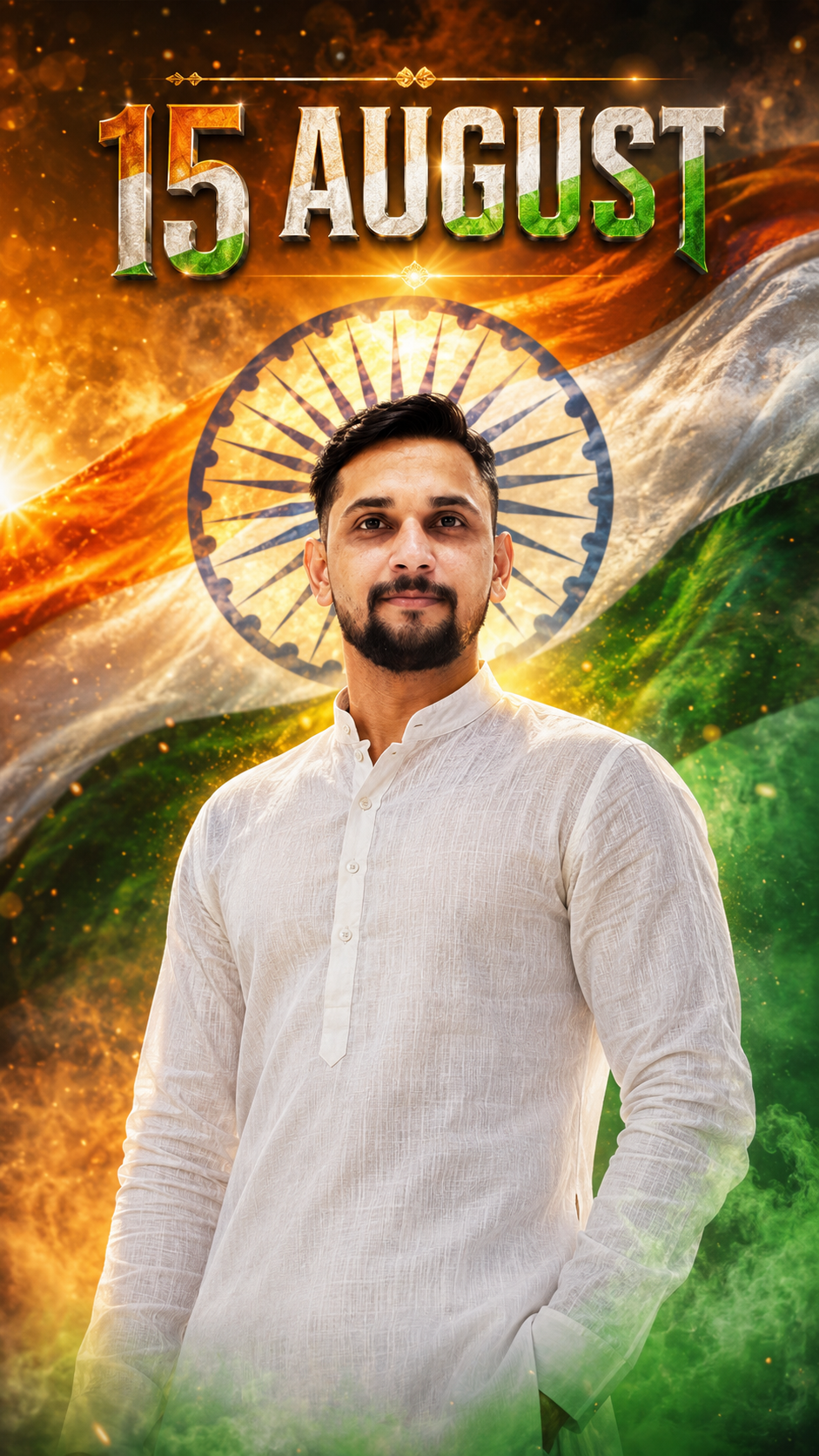
STRICT FACE IDENTITY LOCK — Use the uploaded reference image as the ONLY facial reference. Maintain 100% exact facial identity with absolutely no face changes. Preserve the exact face shape, jawline, forehead, hairstyle, hairline, eyebrows, eye shape, eye spacing, nose, lips, ears, skin tone, beard (if any), expression, facial proportions, and overall appearance exactly as shown in the uploaded photo. Do NOT beautify, stylize, age, de-age, feminize, masculinize, or replace the face. Keep the same person with identical identity. Only change the outfit and background. Create a hyper-realistic 8K cinematic patriotic portrait of the same young Indian man wearing a premium traditional white kurta-pajama, standing confidently while gazing slightly upward with pride, hope, and determination. His face is softly illuminated by saffron, white, and green light from the Indian tricolor behind him. A radiant Ashoka Chakra forms a glowing halo behind his head. A majestic Indian flag waves in the background with realistic fabric texture, surrounded by vibrant saffron, white, and green smoke, cinematic god rays, floating dust particles, and subtle spark effects. Warm golden-hour lighting, HDR, ultra-detailed skin texture, realistic hair strands, sharp focus, premium color grading, dramatic depth of field, masterpiece quality. Elegant glowing “15 AUGUST” typography appears at the top with subtle tricolor styling, beautifully integrated into the composition without covering the face. Independence Day atmosphere expressing courage, sacrifice, freedom, and national pride. No face modification, no extra people, no watermark, no extra text.
1,702 Views 820 Copies
About This Prompt

Patriotic pride for 15 August

STRICT FACE IDENTITY LOCK — Use the uploaded reference image as the ONLY facial reference. Maintain 100% exact facial identity with absolutely no face chan...
How It Works

How to Use This AI Prompt

Copy the prompt, paste it into your preferred AI tool, and adjust the details when needed.

01

Copy the Prompt

Use the Copy Prompt button to copy the complete prompt.

02

Open Your AI Tool

Open the AI platform you want to use for your project.

03

Paste the Prompt

Paste the prompt into your preferred AI tool and run it.

04

Customize It

Change the subject, style, setting or other details.

Customize

Customize the Prompt for Your Idea

Personalize the prompt by changing only the details that are relevant to your desired result.

Subject

Change the main person, character, object or subject.

Style

Adjust the visual, artistic or creative style.

Lighting

Adjust brightness, shadows, highlights and atmosphere.

Background

Replace the environment or setting to fit your idea.

Prompt Tips

Tips for Better Results

Simple ways to make your prompt easier to understand and customize.

Keep important details specific

Clearly describe the main subject, setting and visual direction.

Change one detail at a time

Modify individual elements such as style, lighting or background when comparing different versions.

Add details that matter

Include useful information about appearance, composition, atmosphere and other important elements.

Experiment with variations

Try different versions of the same prompt to explore alternative creative directions.