Home Prompts Bhai Dooj Raksha Bandhan Sister–Brother Collage
Raksha Bandhan Sister–Brother Collage
Bhai Dooj

Raksha Bandhan Sister–Brother Collage

Prompt
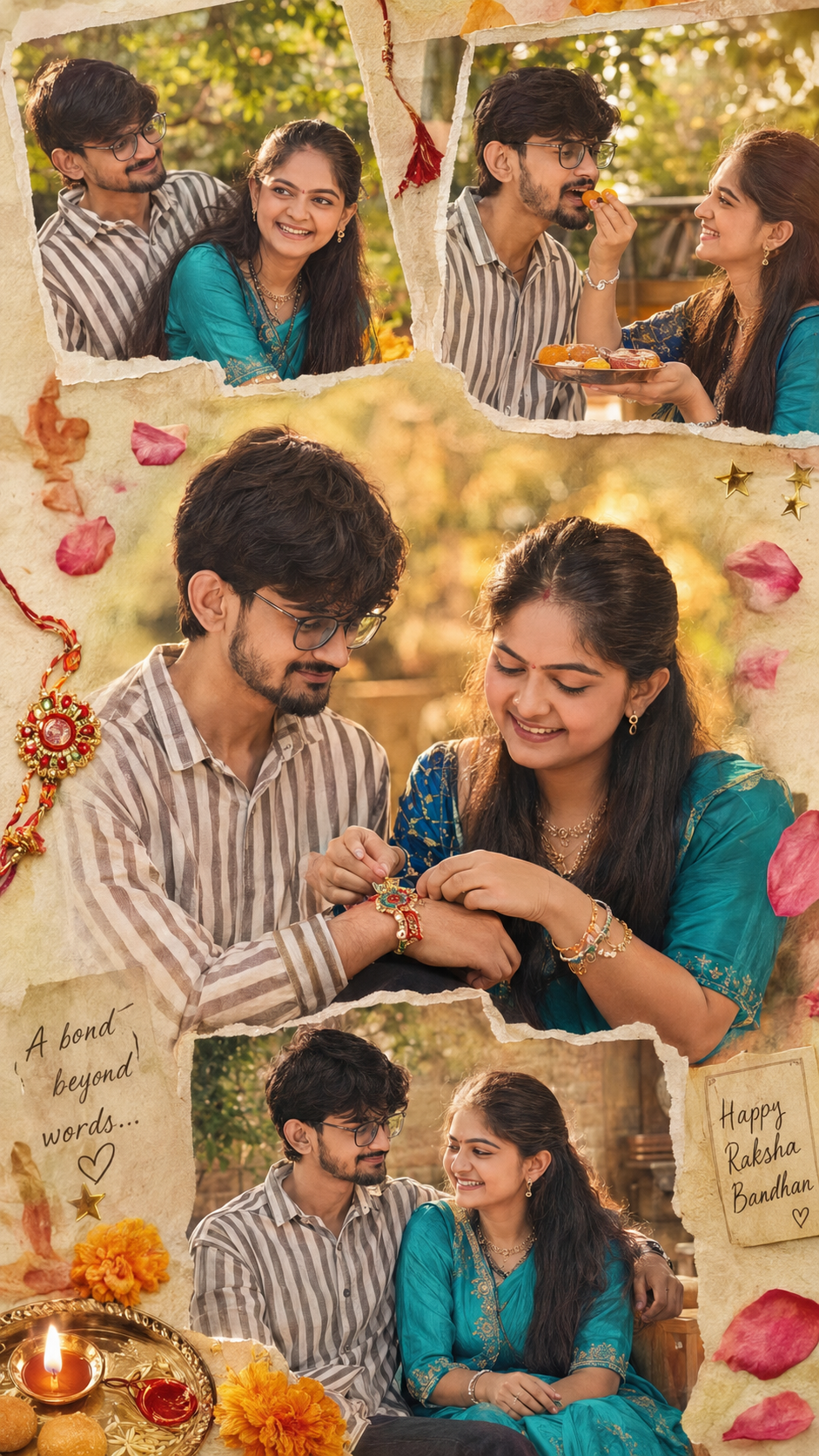
Create a stunning, photorealistic cinematic collage portrait celebrating the beautiful bond between an Indian brother and sister on Raksha Bandhan. Design the image as an elegant artistic scrapbook-style collage with **3–4 naturally blended moments** of the same brother and sister: **Main center portrait:** A beautiful emotional close-up of the sister lovingly tying a colorful rakhi on her brother's wrist. Both are smiling naturally and looking at each other with warmth and affection. **Top-left memory:** A candid childhood-inspired moment of the brother and sister laughing and playing together. **Top-right memory:** The sister feeding her brother a traditional sweet after tying the rakhi. **Bottom memory:** A warm candid portrait of them sitting together, laughing naturally and sharing a beautiful sibling moment. Blend all moments seamlessly into one premium artistic composition using soft torn-paper edges, subtle Polaroid-style frames, handwritten nostalgic details, delicate flower petals, rakhi threads, marigold flowers, tiny golden stars, and warm festive textures. Use a rich yet elegant Raksha Bandhan color palette with warm cream, pastel red, golden yellow, and soft pink tones. Add a subtle traditional rakhi thali with roli, rice, diya, and sweets as decorative collage elements. The collage should feel emotional, nostalgic, luxurious, and visually balanced — **not like separate photos pasted together**. Maintain consistent facial identity, realistic skin texture, natural expressions, and authentic sibling chemistry across every frame. Photorealistic faces, cinematic editorial photography, soft golden lighting, dreamy depth, subtle film grain, premium scrapbook aesthetic, highly detailed, emotional storytelling, elegant composition, ultra-realistic, 8K. Use 100% same face . 9:16 ratio
480 Views 51 Copies
About This Prompt

Raksha Bandhan Sister–Brother Collage

Create a stunning, photorealistic cinematic collage portrait celebrating the beautiful bond between an Indian brother and sister on Raksha Bandhan.

Desi...
How It Works

How to Use This AI Prompt

Copy the prompt, paste it into your preferred AI tool, and adjust the details when needed.

01

Copy the Prompt

Use the Copy Prompt button to copy the complete prompt.

02

Open Your AI Tool

Open the AI platform you want to use for your project.

03

Paste the Prompt

Paste the prompt into your preferred AI tool and run it.

04

Customize It

Change the subject, style, setting or other details.

Customize

Customize the Prompt for Your Idea

Personalize the prompt by changing only the details that are relevant to your desired result.

Subject

Change the main person, character, object or subject.

Style

Adjust the visual, artistic or creative style.

Lighting

Adjust brightness, shadows, highlights and atmosphere.

Background

Replace the environment or setting to fit your idea.

Prompt Tips

Tips for Better Results

Simple ways to make your prompt easier to understand and customize.

Keep important details specific

Clearly describe the main subject, setting and visual direction.

Change one detail at a time

Modify individual elements such as style, lighting or background when comparing different versions.

Add details that matter

Include useful information about appearance, composition, atmosphere and other important elements.

Experiment with variations

Try different versions of the same prompt to explore alternative creative directions.