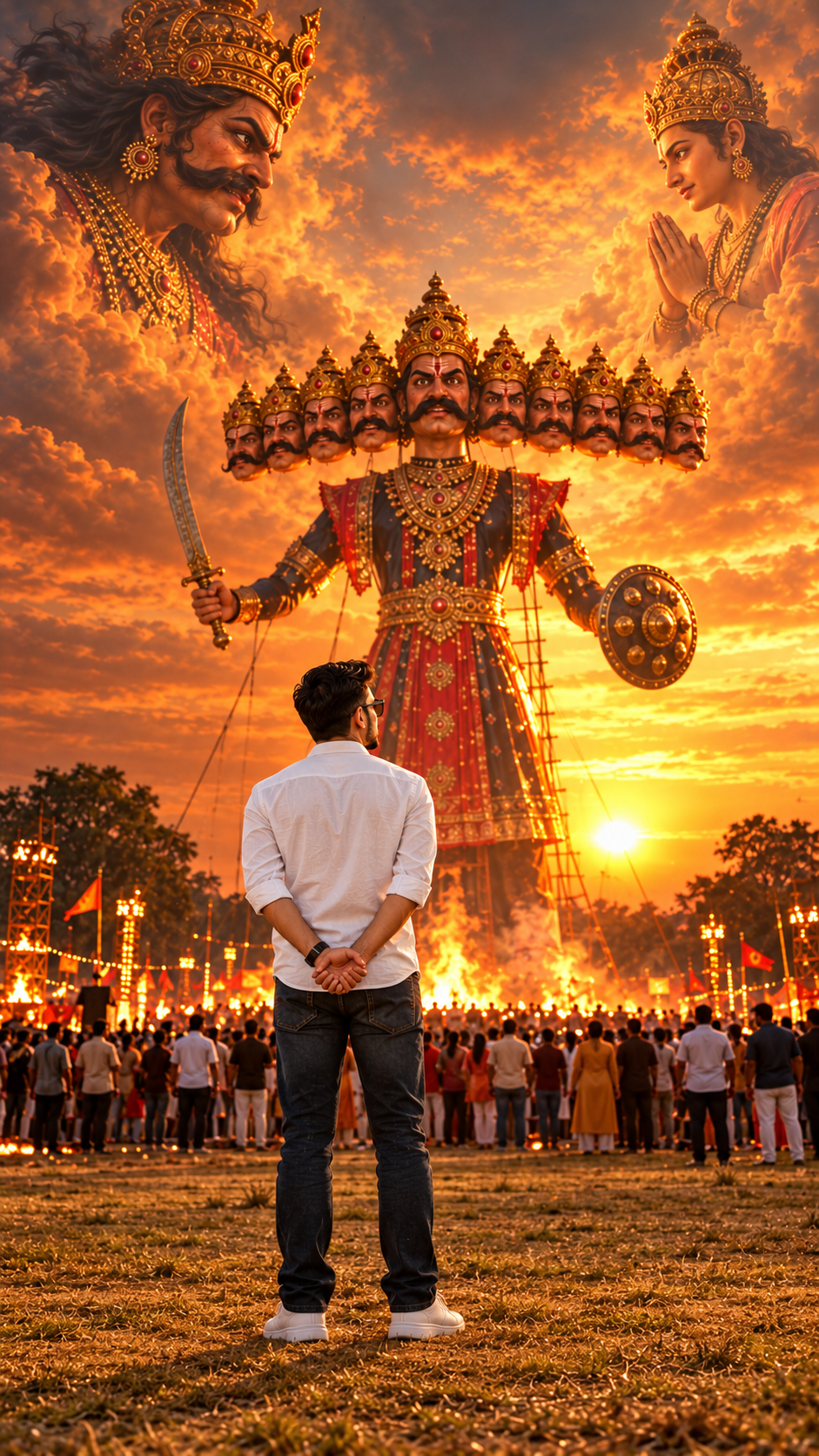
Use the uploaded photo as the ONLY and STRICT identity reference for the boy. Preserve his exact identity, hairstyle, skin tone, natural body proportions, and appearance. Create an ultra-realistic, cinematic vertical 9:16 photograph that closely matches the provided reference image.BOY'S POSE AND OUTFIT:Show the same boy standing in the foreground with his back facing the camera, looking toward a gigantic Ravan effigy. He is wearing a plain white full-sleeve shirt with slightly rolled-up sleeves, dark blue jeans, and light-colored sneakers. His hands are naturally clasped behind his lower back. Show his complete body from head to shoes, positioned in the lower center of the frame.GIANT RAVAN EFFIGY:In the center of a vast Dussehra festival ground, create an enormous traditional Ravan effigy with ten distinct heads arranged horizontally, an elaborate golden crown, a thick black moustache, and magnificent black, red, and gold royal attire. He holds a sword in one hand and a round shield in the other. The effigy towers above thousands of spectators gathered at a safe distance.IMPORTANT: TWO MYTHOLOGICAL FIGURES IN THE CLOUDS:In the upper-left portion of the sky, depict Ravana (Ravan) as a gigantic, translucent celestial vision emerging naturally from the glowing orange clouds. He has a fierce royal expression, a thick moustache, an ornate golden crown, long dark hair, and traditional royal demon-king ornaments. His face is shown in side profile, looking toward the center of the scene.In the upper-right portion of the sky, depict Vibhishana (Vibhishan) as a separate, gigantic, translucent celestial vision emerging from the clouds. He has a calm, noble expression, a traditional golden crown, royal mythological attire, and his hands joined respectfully in a Namaste gesture. His face is shown in side profile, facing toward Ravana across the sky.Both figures must be clearly distinguishable from each other, positioned on opposite sides of the sky, and blended artistically into the dramatic clouds like enormous divine visions. Ravana must appear on the LEFT and Vibhishana on the RIGHT. Do not depict Lord Rama or any other character in their place. The two celestial figures should remain subtle and atmospheric, while the central Ravan effigy remains the main focal point.BACKGROUND AND LIGHTING:A breathtaking orange, amber, and golden sunset fills the sky with dramatic, fiery clouds. Warm sunlight glows behind the Ravan effigy, creating a spectacular silhouette and cinematic depth. Include a large festival ground, realistic dry grass, distant trees, decorative lights, and a dense crowd of people watching the celebration.CAMERA AND QUALITY:Vertical 9:16 composition, full-body rear view of the boy, wide-angle cinematic perspective, realistic human anatomy, detailed traditional Indian costumes, photorealistic textures, natural golden-hour lighting, atmospheric haze, HDR, professional DSLR photography, ultra-detailed 8K quality, epic Indian mythological cinema aesthetic.NEGATIVE PROMPT:No replacement of the uploaded boy, no extra limbs, no distorted anatomy, no incorrect number of Ravan's heads, no confusion between Ravana and Vibhishana, no Lord Rama replacing either figure, no cartoon style, no artificial-looking clouds, no text, no watermark, no logo, no cropped feet.Final composition: The boy stands in the foreground watching the giant Ravan effigy, with Ravana appearing in the upper-left clouds and Vibhishana appearing in the upper-right clouds, against a spectacular orange sunset. Match the reference image's composition, colors, and cinematic atmosphere as closely as possible.