Home Prompts Dussehra Torchbearer Before the Burning Effigy
Torchbearer Before the Burning Effigy
Dussehra

Torchbearer Before the Burning Effigy

Prompt
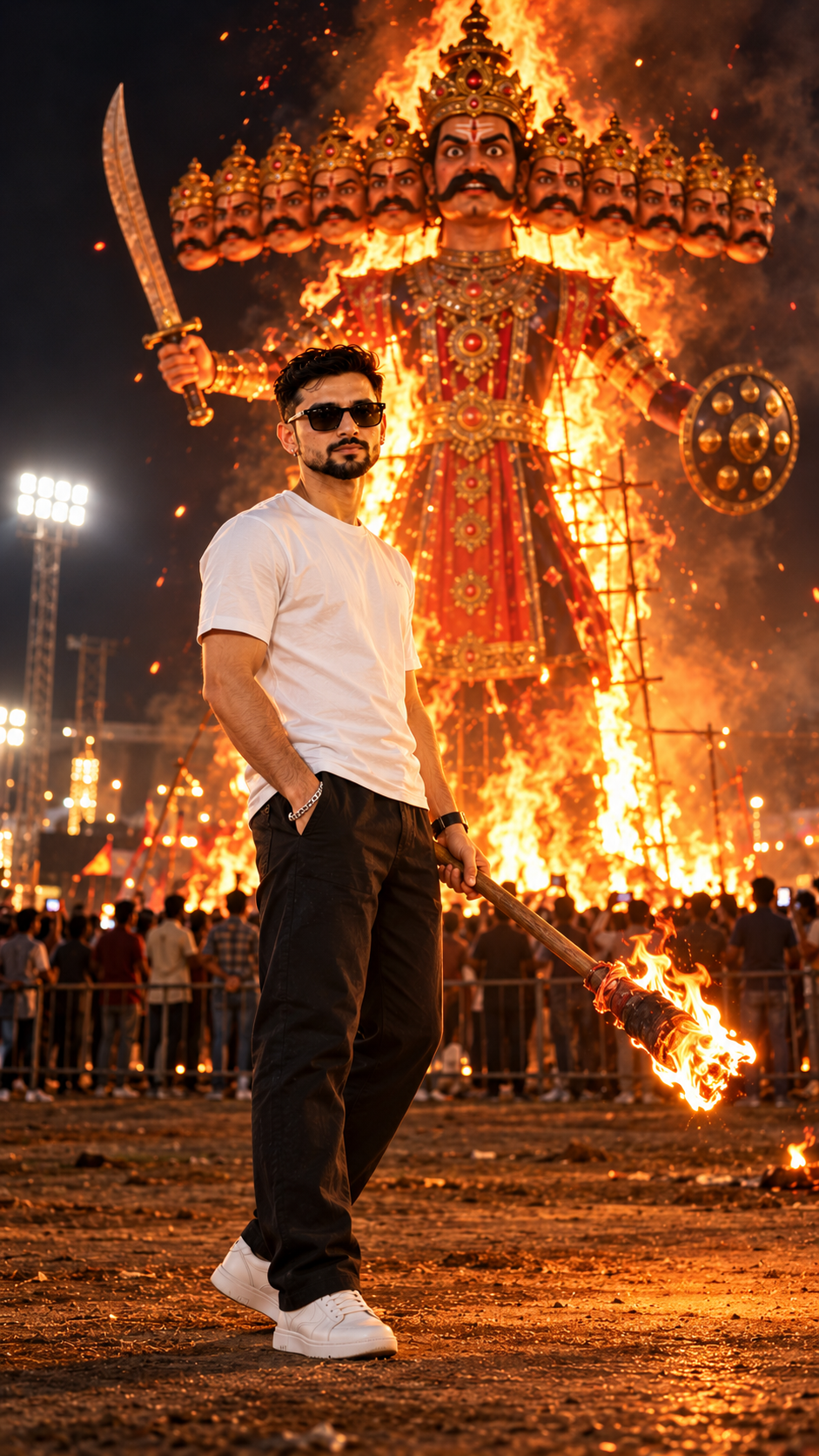
Transform the person in this uploaded photo into a dramatic Dussehra Ravan Dahan festival scene. Keep the face 100% identical to the uploaded photo — same face structure, skin tone, and features exactly matched, don't change the identity. Dress the person in a casual plain white half-sleeve t-shirt and black trousers, wearing a metallic bracelet on the right wrist. Position the person standing at a 3/4 angle, looking directly at the camera with a confident and serious expression, placing the right hand casually in the trouser pocket and the left hand holding a rustic wooden torch with bright burning flames pointing slightly downwards. Set the background at night, featuring a massive, towering ten-headed Ravana effigy actively engulfed in roaring orange and yellow flames, wearing traditional red and gold attire, holding a sword and shield. In the deep background, show a softly blurred crowd of spectators watching the fire from behind a barricade, flying fire embers, and tall stadium floodlights on the left side against a dark night sky. Apply dramatic cinematic nighttime lighting with a strong warm golden-orange rim light hitting the right side of the person's body from the fire's glow, high contrast color grading, and a shallow depth of field with soft bokeh. 8K resolution, cinematic lighting, high dynamic range, hyper-detailed, DSLR quality, 4K UHD, photorealistic festival photography.
72 Views 14 Copies
About This Prompt

Torchbearer Before the Burning Effigy

Transform the person in this uploaded photo into a dramatic Dussehra Ravan Dahan festival scene. Keep the face 100% identical to the uploaded photo — same...
How It Works

How to Use This AI Prompt

Copy the prompt, paste it into your preferred AI tool, and adjust the details when needed.

01

Copy the Prompt

Use the Copy Prompt button to copy the complete prompt.

02

Open Your AI Tool

Open the AI platform you want to use for your project.

03

Paste the Prompt

Paste the prompt into your preferred AI tool and run it.

04

Customize It

Change the subject, style, setting or other details.

Customize

Customize the Prompt for Your Idea

Personalize the prompt by changing only the details that are relevant to your desired result.

Subject

Change the main person, character, object or subject.

Style

Adjust the visual, artistic or creative style.

Lighting

Adjust brightness, shadows, highlights and atmosphere.

Background

Replace the environment or setting to fit your idea.

Prompt Tips

Tips for Better Results

Simple ways to make your prompt easier to understand and customize.

Keep important details specific

Clearly describe the main subject, setting and visual direction.

Change one detail at a time

Modify individual elements such as style, lighting or background when comparing different versions.

Add details that matter

Include useful information about appearance, composition, atmosphere and other important elements.

Experiment with variations

Try different versions of the same prompt to explore alternative creative directions.