Home Prompts Ganesh Chaturthi Warm Ganesh Puja Family Aarti
Warm Ganesh Puja Family Aarti
Ganesh Chaturthi

Warm Ganesh Puja Family Aarti

Prompt
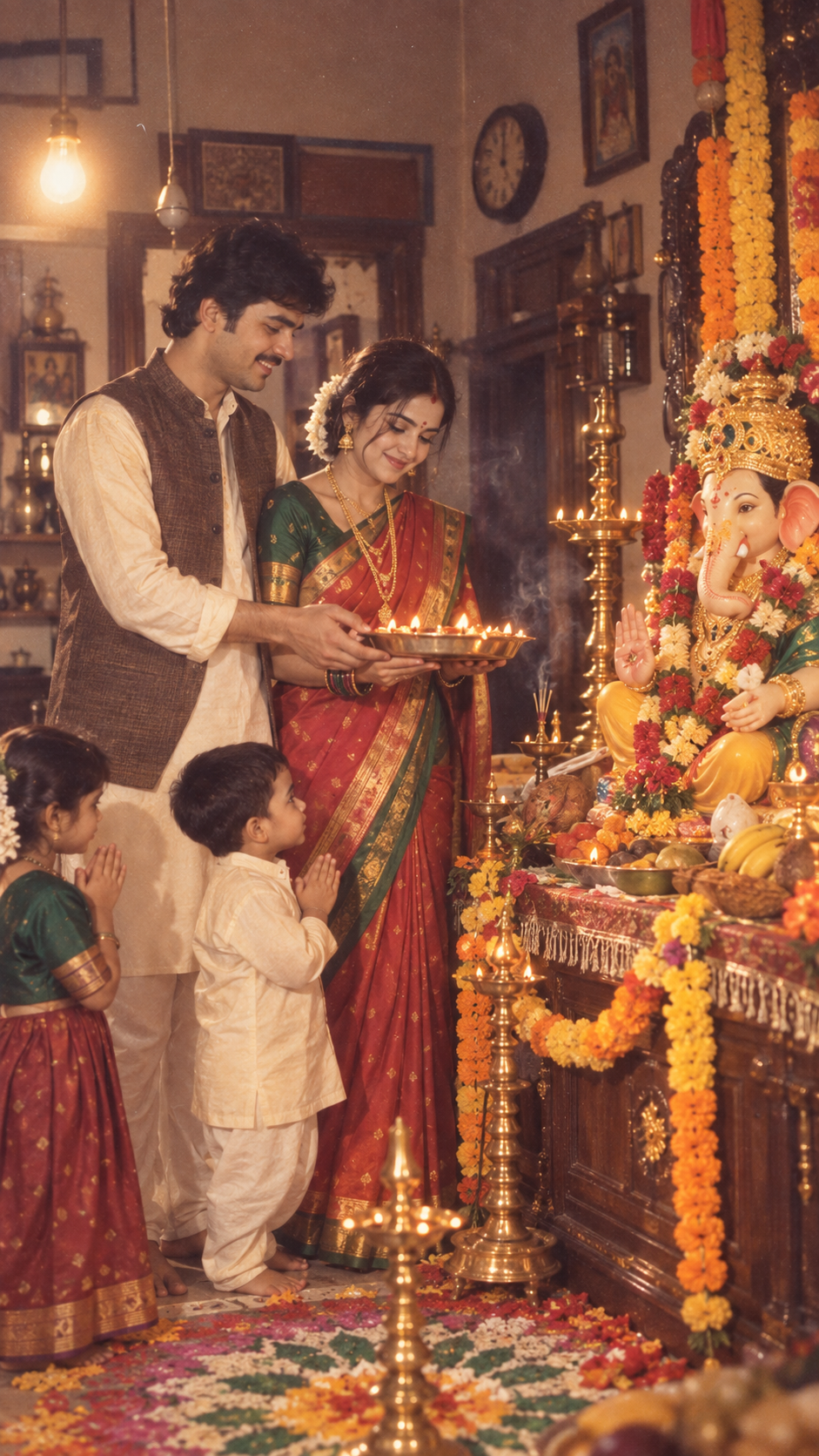
Ultra-realistic cinematic 1980s vintage photograph of a joyful Indian family celebrating Ganesh Chaturthi inside a traditional Indian home. A beautifully handcrafted Lord Ganesha idol sits on a decorated wooden platform, adorned with a classic golden crown, marigold garlands, red flowers, traditional jewelry and colorful cloth decorations. A young Indian couple stands beside the idol with warm natural smiles, performing aarti with a traditional brass thali filled with glowing diyas. The man wears a classic 1980s cream kurta with a vintage Nehru-style vest, while the woman wears a traditional bright red and green silk saree with gold border, vintage Maharashtrian jewelry, earrings, bangles, bindi and neatly styled 1980s hair. Authentic 1980s Indian fashion and hairstyles. Background features an old Indian home interior, wooden furniture, vintage wall clock, brass lamps, flower garlands, rangoli, incense smoke, traditional Ganesh Chaturthi decorations and warm incandescent bulb lighting. Add subtle analog film grain, slightly faded colors, natural imperfections, soft warm tones, nostalgic 35mm film aesthetic, realistic skin texture, authentic Indian cultural atmosphere, candid family photography, Kodak-style vintage color grading, cinematic shadows, soft lens glow, realistic photography, highly detailed, 8K UHD. Composition: vertical 9:16, full-body/medium-full composition, natural poses, authentic 1980s atmosphere, professional vintage film photography, shallow depth of field, no modern objects, no smartphones, no LED lights, no text, no watermark.
214 Views 8 Copies
About This Prompt

Warm Ganesh Puja Family Aarti

Ultra-realistic cinematic 1980s vintage photograph of a joyful Indian family celebrating Ganesh Chaturthi inside a traditional Indian home. A beautifully h...
How It Works

How to Use This AI Prompt

Copy the prompt, paste it into your preferred AI tool, and adjust the details when needed.

01

Copy the Prompt

Use the Copy Prompt button to copy the complete prompt.

02

Open Your AI Tool

Open the AI platform you want to use for your project.

03

Paste the Prompt

Paste the prompt into your preferred AI tool and run it.

04

Customize It

Change the subject, style, setting or other details.

Customize

Customize the Prompt for Your Idea

Personalize the prompt by changing only the details that are relevant to your desired result.

Subject

Change the main person, character, object or subject.

Style

Adjust the visual, artistic or creative style.

Lighting

Adjust brightness, shadows, highlights and atmosphere.

Background

Replace the environment or setting to fit your idea.

Prompt Tips

Tips for Better Results

Simple ways to make your prompt easier to understand and customize.

Keep important details specific

Clearly describe the main subject, setting and visual direction.

Change one detail at a time

Modify individual elements such as style, lighting or background when comparing different versions.

Add details that matter

Include useful information about appearance, composition, atmosphere and other important elements.

Experiment with variations

Try different versions of the same prompt to explore alternative creative directions.