Yamuna river
Krishna Janmashtami

Yamuna river

Prompt
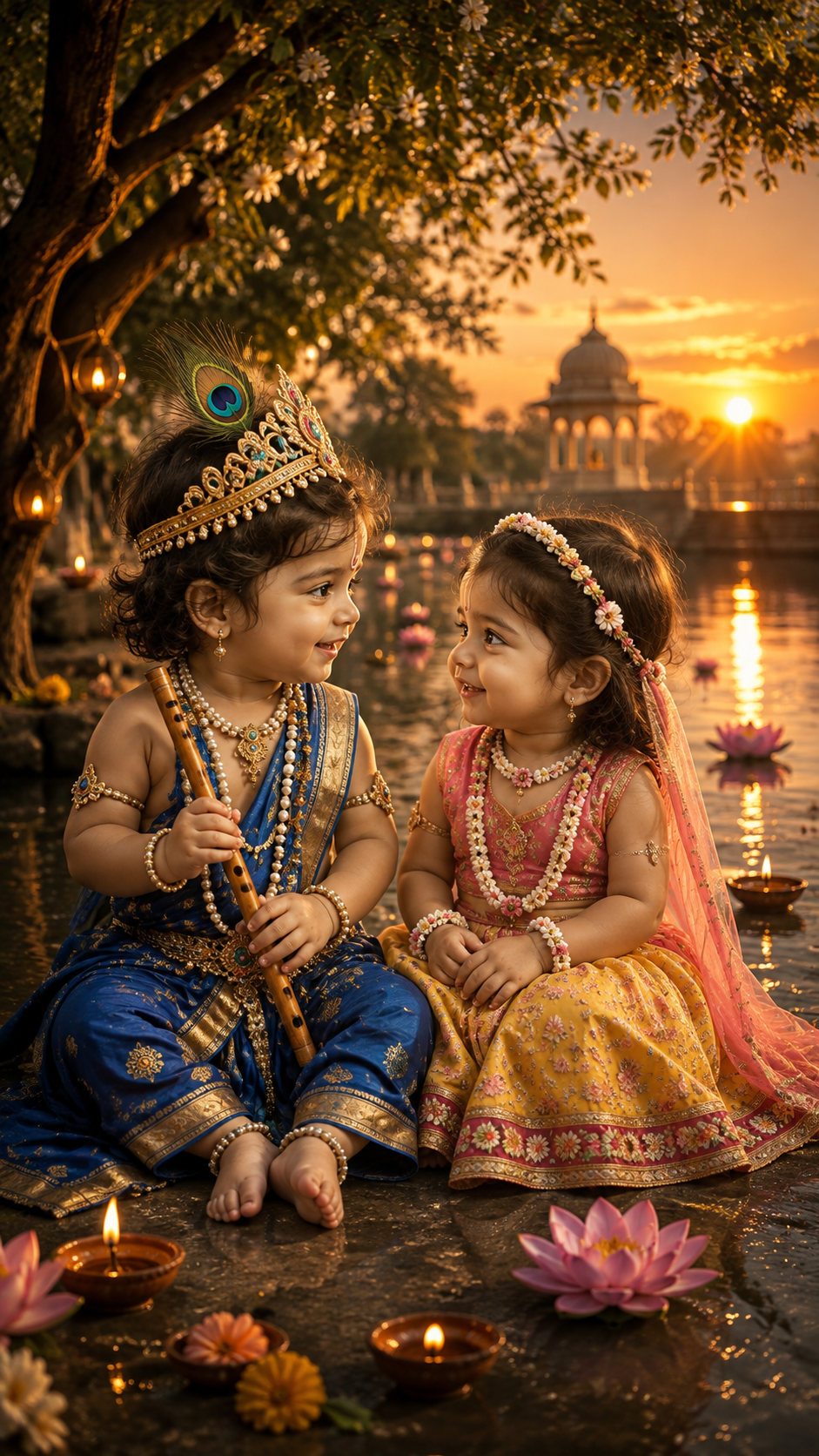
Create an ultra-realistic cinematic portrait of an adorable Indian baby boy dressed as **Little Krishna**, sitting peacefully beside the Yamuna river at twilight. He wears a royal blue and golden dhoti, delicate pearl jewelry, a beautiful peacock-feather crown, and holds a tiny wooden flute. Beside him sits a sweet little Indian girl dressed as **Little Radha**, wearing a pink and yellow traditional lehenga with tiny floral jewelry and a small floral headpiece. They look at each other innocently with joyful smiles. Place floating diyas, lotus flowers, soft mist, and Vrindavan-inspired trees around them. Warm golden sunset light, magical atmosphere, realistic baby expressions, detailed traditional clothing, cinematic photography, 8K, photorealistic, **9:16 vertical**. No adult appearance, no mature facial features, no exaggerated makeup, no distorted face, no extra fingers, no malformed hands, no duplicate children, no extra limbs, no plastic skin, no cartoon appearance, no text, no watermark, no modern objects, natural innocent child expressions, realistic proportions.
750 Views 35 Copies
About This Prompt

Yamuna river

Create an ultra-realistic cinematic portrait of an adorable Indian baby boy dressed as **Little Krishna**, sitting peacefully beside the Yamuna river at tw...
How It Works

How to Use This AI Prompt

Copy the prompt, paste it into your preferred AI tool, and adjust the details when needed.

01

Copy the Prompt

Use the Copy Prompt button to copy the complete prompt.

02

Open Your AI Tool

Open the AI platform you want to use for your project.

03

Paste the Prompt

Paste the prompt into your preferred AI tool and run it.

04

Customize It

Change the subject, style, setting or other details.

Customize

Customize the Prompt for Your Idea

Personalize the prompt by changing only the details that are relevant to your desired result.

Subject

Change the main person, character, object or subject.

Style

Adjust the visual, artistic or creative style.

Lighting

Adjust brightness, shadows, highlights and atmosphere.

Background

Replace the environment or setting to fit your idea.

Prompt Tips

Tips for Better Results

Simple ways to make your prompt easier to understand and customize.

Keep important details specific

Clearly describe the main subject, setting and visual direction.

Change one detail at a time

Modify individual elements such as style, lighting or background when comparing different versions.

Add details that matter

Include useful information about appearance, composition, atmosphere and other important elements.

Experiment with variations

Try different versions of the same prompt to explore alternative creative directions.